
bKash Overview
bKash is the largest and most trusted mobile financial service (MFS) provider in Bangladesh. It allows users to send money, make payments, pay bills, and manage daily financial activities using a mobile phone. Launched in 2011, bKash has become a core part of Bangladesh’s digital payment ecosystem, serving millions of users across urban and rural areas.
What is bKash?
bKash is a leading mobile financial service (MFS) in Bangladesh that lets people send money, pay bills, and make secure payments using their phones. It started in 2011 and quickly became part of everyday life for millions of Bangladeshis. Today, people across the country use bKash for fast, easy, and reliable digital transactions.
How to Deposit Using bKash?
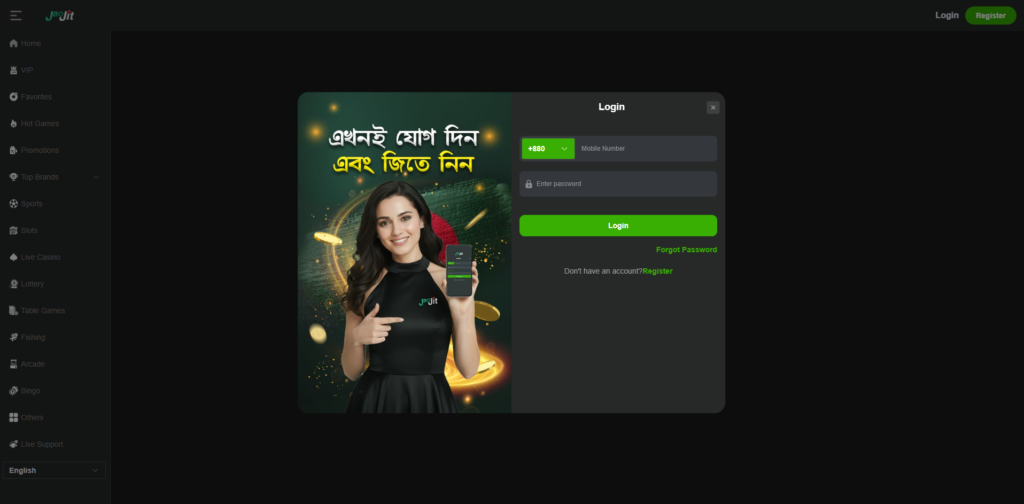
Step 1: Log in to Your JaoJit Account
Open the platform and log in using your registered username and password. Make sure your account is active before proceeding.
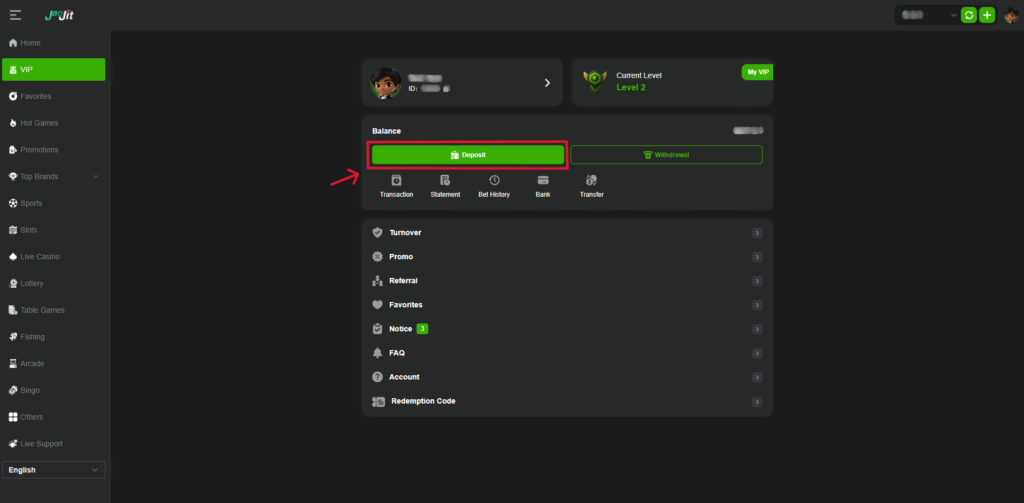
Step 2: Go to JaoJit Deposit Section
After logging in, navigate to the Deposit section from the main menu or dashboard. Select bKash as your preferred payment method.
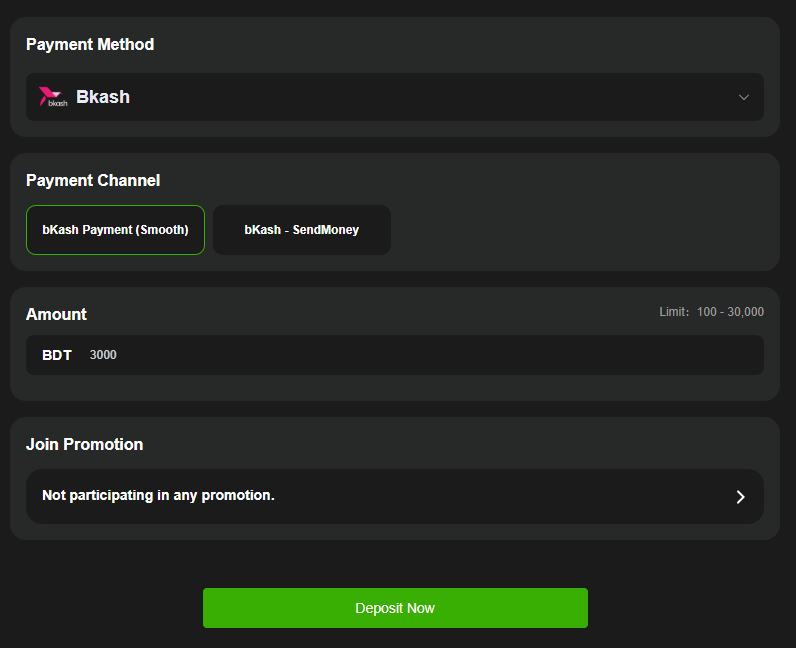
Step 3: Enter Deposit Amount
Enter the amount you want to deposit in Bangladesh Taka (BDT). Check the amount carefully before moving to the next step.
Step 4: Confirm bKash Payment Details
Follow the on-screen instructions to complete the payment using your bKash account. Confirm the transaction details and enter your bKash PIN when prompted. Once confirmed, the deposit will be processed, and the funds will appear in your account shortly.
How to Withdraw Using bKash?
Step 1: Log in to Your JaoJit Account
Open the platform and log in using your registered username and password. Make sure your account is active before proceeding.
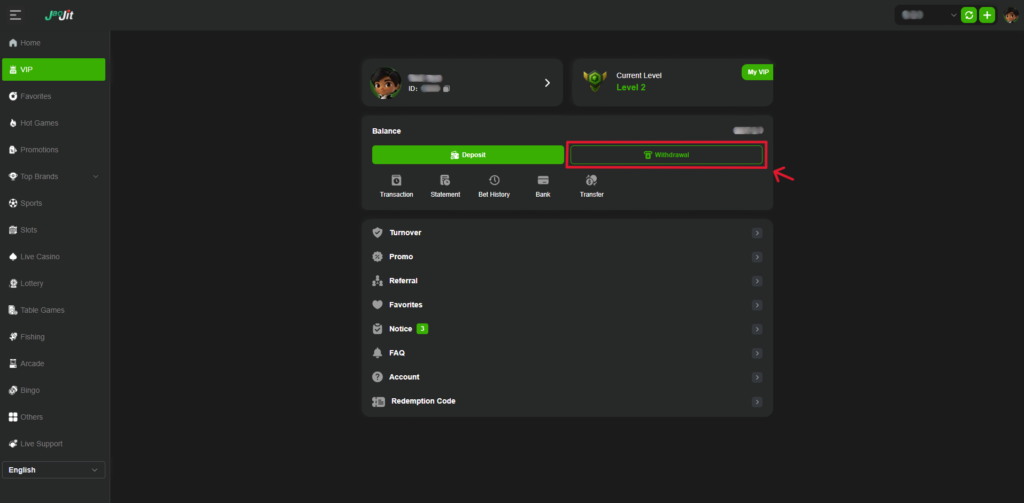
Step 2: Go to JaoJit Withdrawal Section
After logging in, navigate to the Withdrawal section from the main menu or dashboard. From here you can choose bKash as your preferred withdrawal method.
Step 3: Enter Withdrawal Amount
Enter the amount you wish to withdraw in Bangladesh Taka (BDT). Double-check the amount to avoid errors.
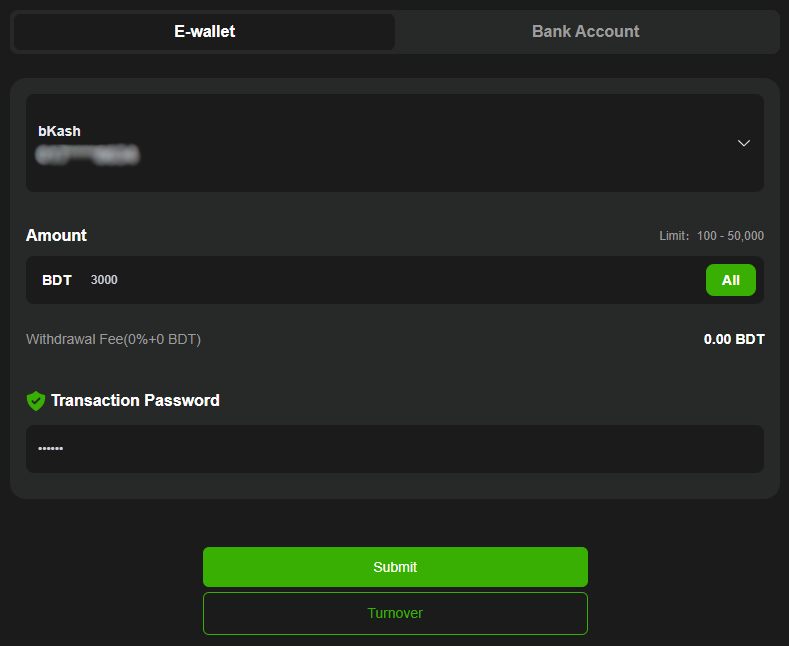
Step 4: Submit the Withdrawal Request
Confirm the withdrawal details and submit your request. Once approved, the funds will be sent to your bKash account. Processing time may vary, but withdrawals are usually completed quickly.